

Personalising Hopin’s onboarding experience for self serve customers
Senior Product Designer for Hopin, an all-in-one platform for virtual, in-person, & hybrid events.

Jobs to be done workshop with key stakeholders to map out the event management experience and identify any product gaps and potential areas for improvement.
Problem statement
Self serve customers are not getting the value out of our current Hopin product.
Less than 5% of self serve organisers publish an event
Top churn reasons:
Only run one large event a year. Hopin isn’t seen as a platform for smaller, more frequent event types
Confusing product experience
Hypothesis
We believe that customers will…
Not encounter cognitive overload by only presenting steps relevant to their event type and simplifying the dashboard experience
Will have better mental model of how their virtual event is set up by going through a step by step flow
Understand that Hopin is a suitable product for smaller event types (webinars, meet ups etc.)
This will result in…
Less frustration and a higher motivation to complete the event setup and publish their event
Higher retention of self serve customers
We will know we are successful when:
The event publish rate increases
Engagement rate with quick start templates
Event setup completion rate from quick start template
% organisers who host 1+ events per quarter
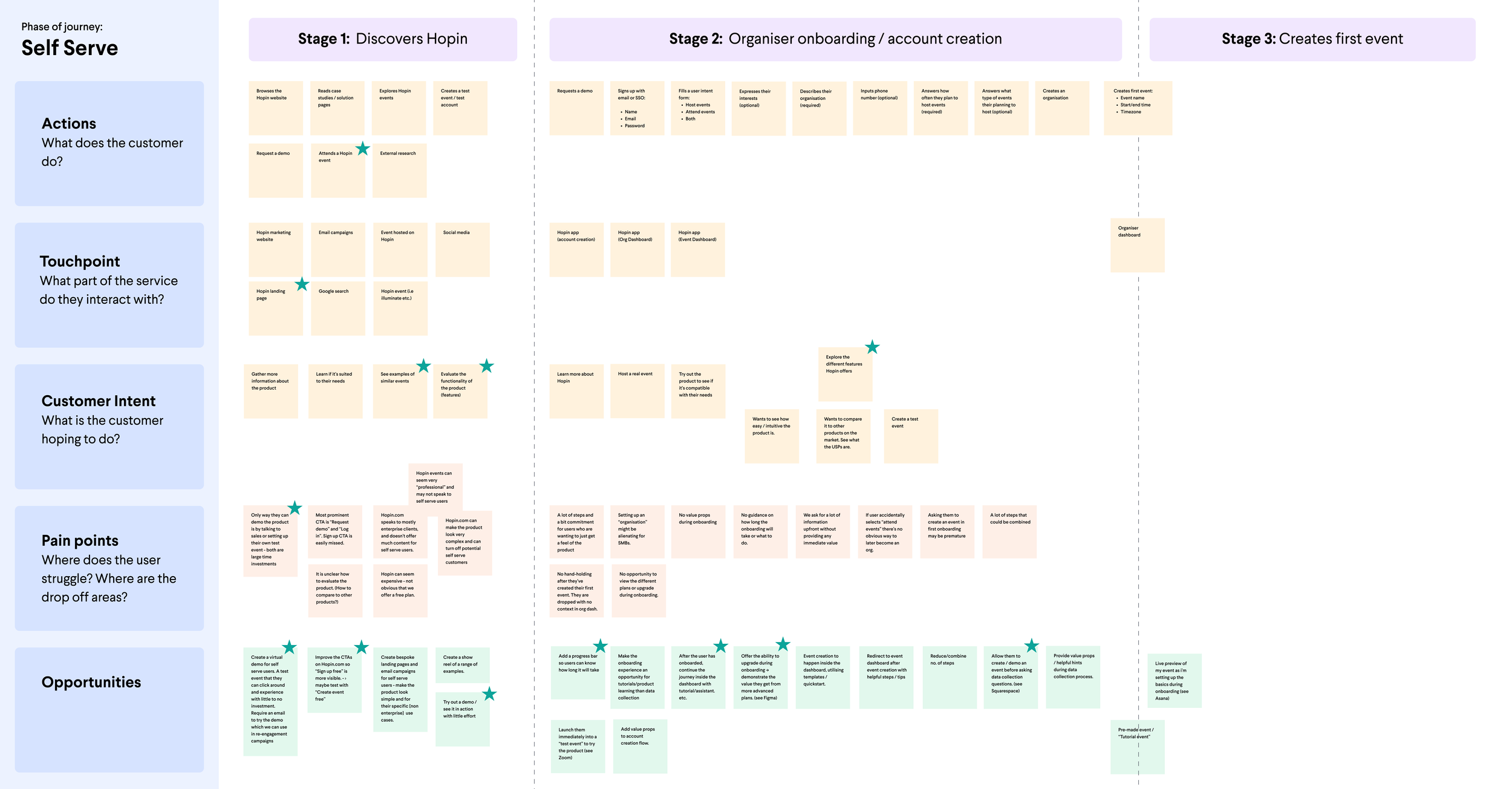
Customer journey map of the self serve journey to uncover pain points and areas of opportunity
Design discovery
‘How might we’ workshop helped us frame problem statements into opportunities. I facilitated a remote session with the team to come up with three statements we wanted to begin brainstorming
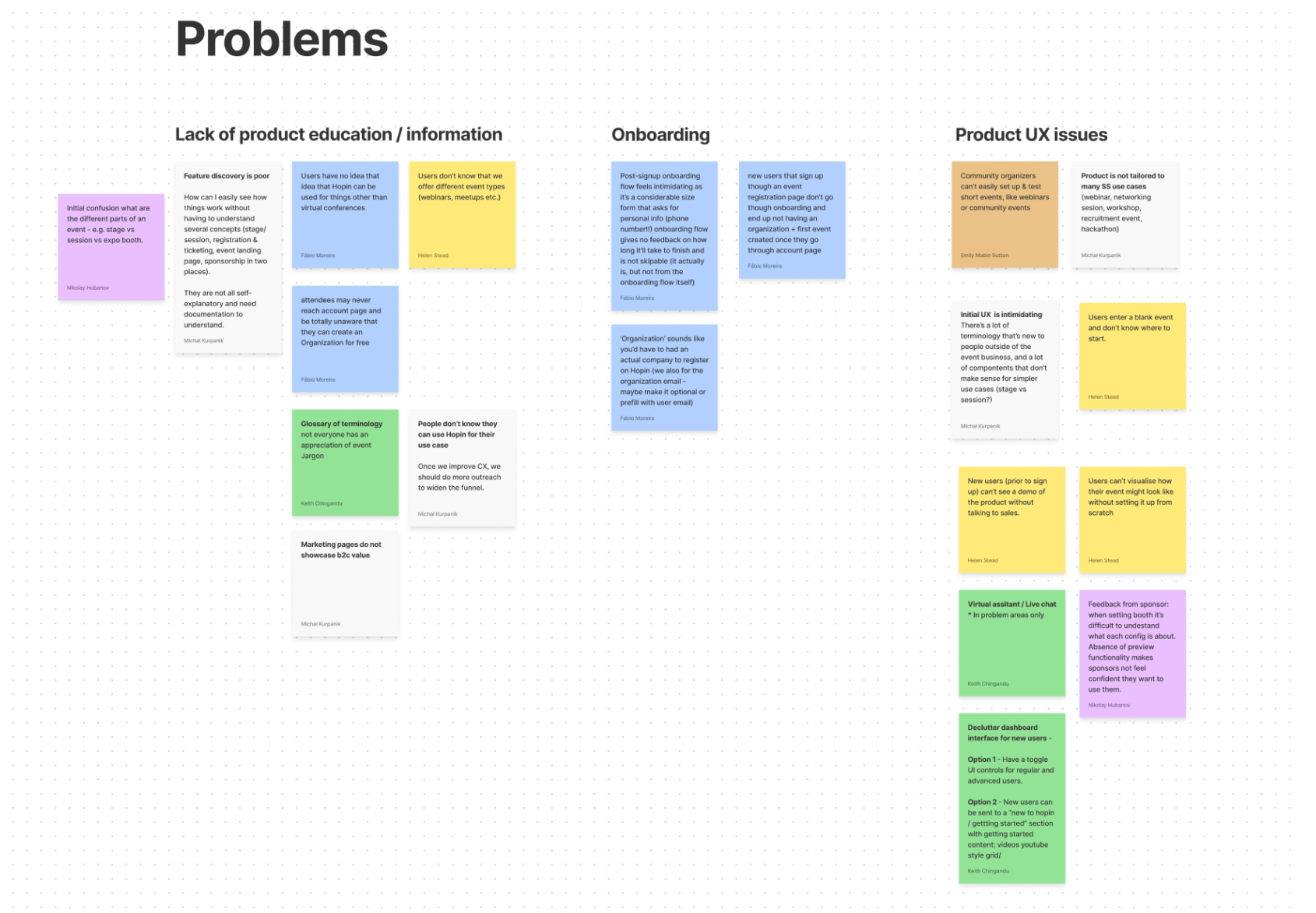
Next we generated the following three HWM statements and began ideating solutions and voted on our favourite ideas.
HMW…educate self serve organisers on how to get the most value out of Hopin
HMW…make our onboarding flow simpler and more valuable to the user
HMW…improve the event creation experience for self serve organisers.

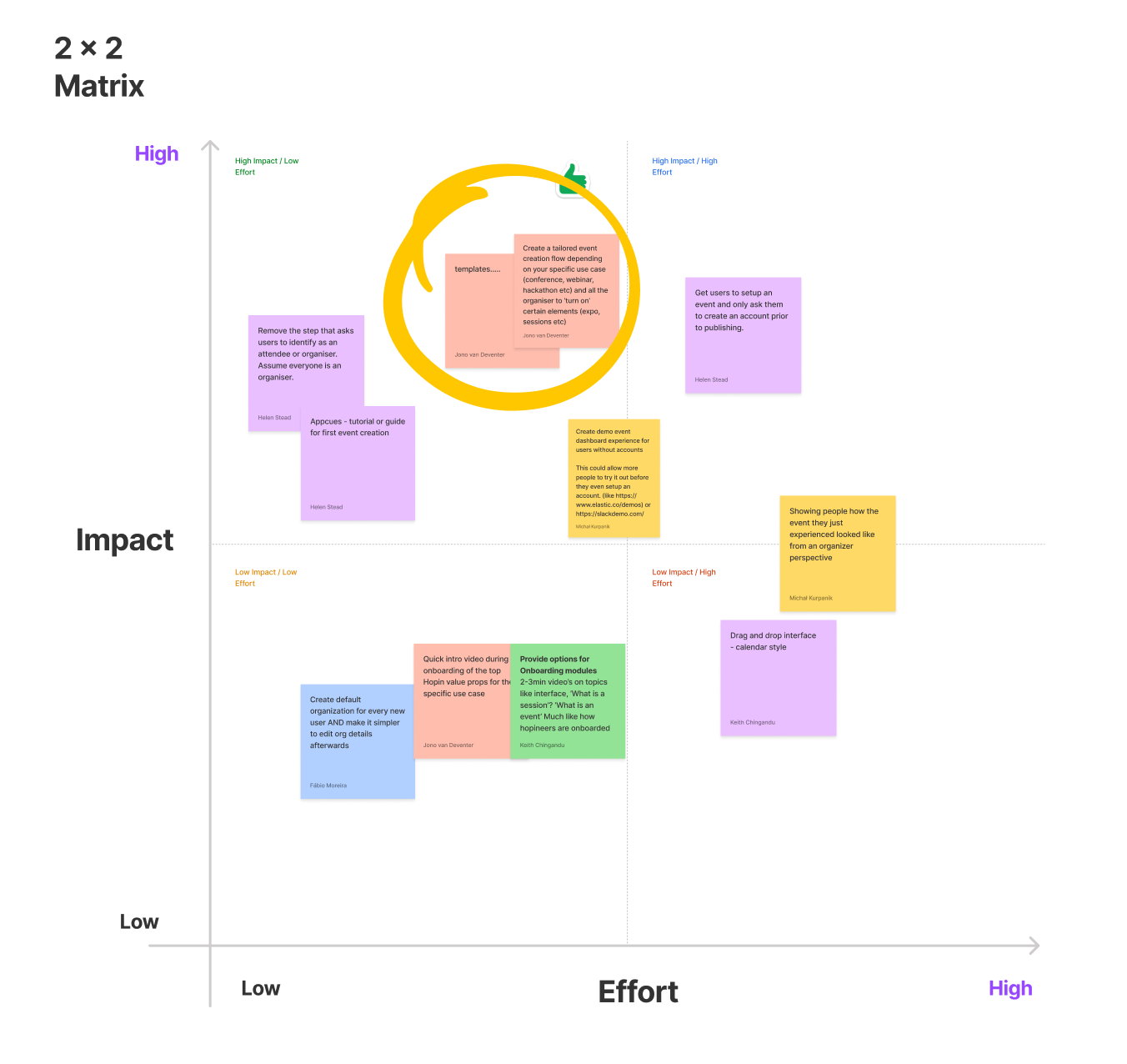
Finally, we plotted the most popular ideas on an effort/impact matrix to assess what should be our first priority.
Ideation & Wireframing
After multiple ideation sessions with the team, we explored 3 different concepts:
Demo events
In-product guidance
Event templates / guided set up
Demo events really helped new organisers understand the attendee facing experience, it still didn’t help provide much context of how to set up their event. In-product guidance didn’t score that highly in user testing because the guidance was too vague and a ‘one size fits all’.
An organiser hosting a webinar has vastly different needs to one creating a 3 day conference. Event templates proved to be high impact and fairly low effort and tested well with users a solution that allows for people to join in groups and have multiple viewing layouts

Rough wireframes to explore designs for the three different solutions. These screens were turned into prototypes and we used customer interviews and internal testing to validate each approach.
Solution Design - Event Templates
Event templates and a guided set up flow helped us gain essential data from our users: and therefore we could tailor the guidance we offered them once they reached the dashboard. A live preview could also help them understand the attendee experience. We chose the initial templates based on our most popular event types:
Conferences, Webinars, Courses & Workshops, Internal Events and Tradeshow & Expos.
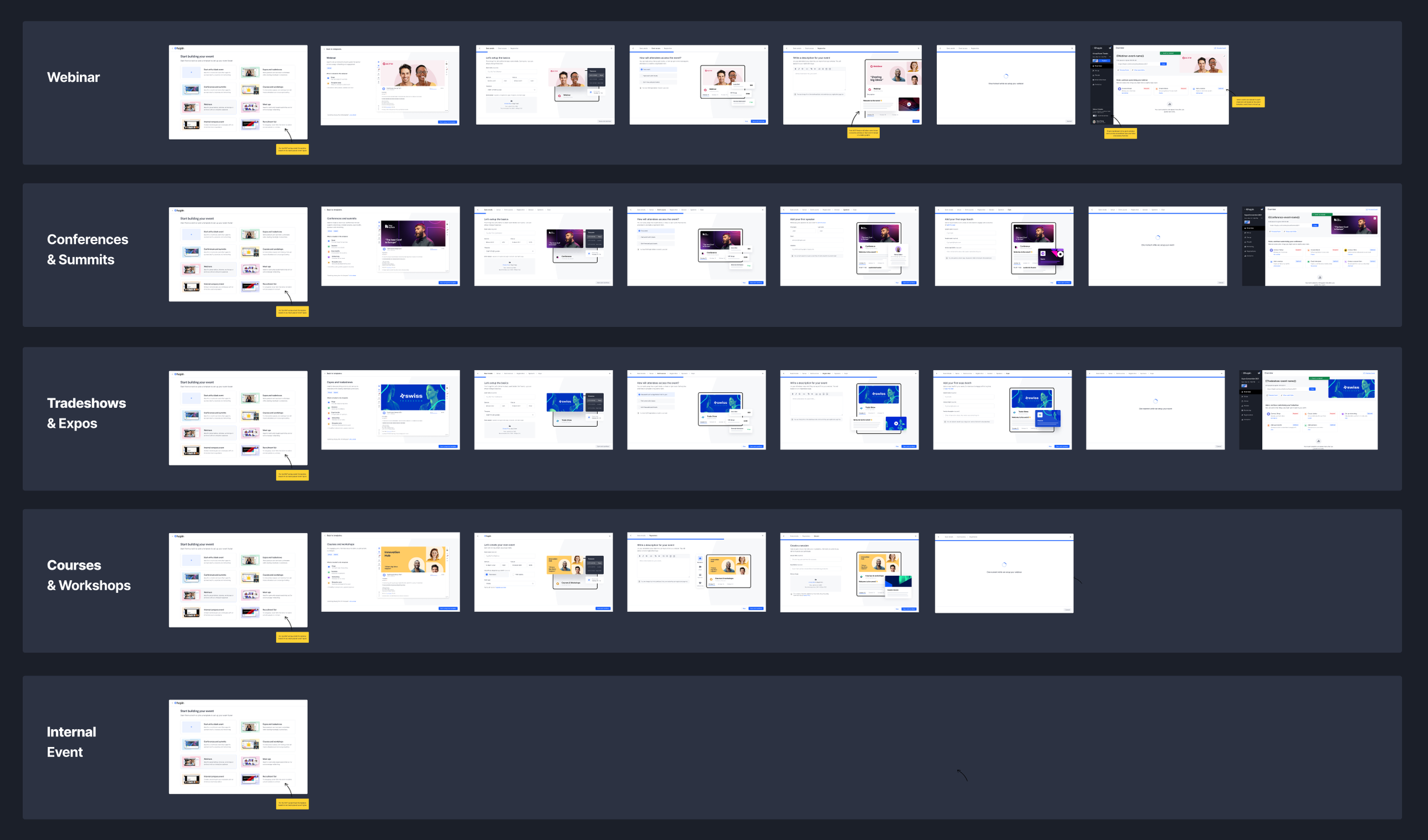
Event template set up
Event templates and a guided set up flow helped us gain essential data from our users: and therefore we could tailor the guidance we offered them once they reached the dashboard. A live preview could also help them understand the attendee experience. Each template has a different set of steps depending on what the event needs are.

Step 1 - User can opt to start from blank or choose from one of the template options

Step 2 - User begins filling in the basic details for their event type (Webinar)
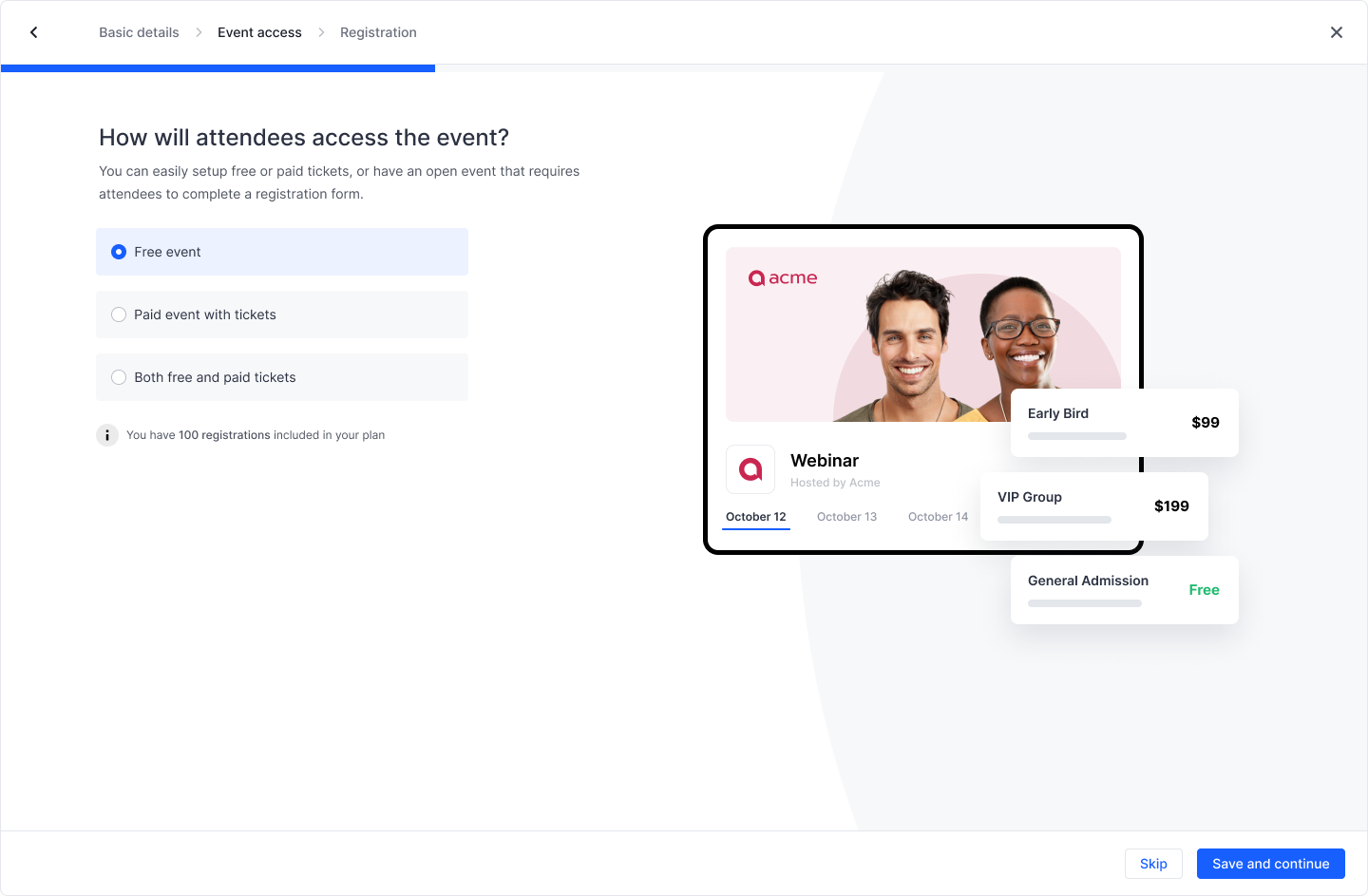
Step 3 - User selects whether they want free or paid tickets for their event

Step 4 - User writes a description for their event.
Step 5 - User waits for their event to be created

Step 6 - User lands on their personalised dashboard
Personalised dashboard
The goal of the new event dashboard was to use the data collected during onboarding to provide a highly personalised experience based on your event type and event intent.

Personalised “action cards” that would help event creators to discover relevant features.
Conclusion
This has been an interesting project for me to work on because I was able to be involved in the product strategy and design a brand new experience for Hopin that focused on a new customer segment. Following the initial launch, we developed further iterations such as reusable templates, asset libraries, repeat event creation and more.
